Paper Trail
A guided learning product that helps nontechnical people learn AI through a clear path and practice they can use at work.
Give founders, operators, and nontechnical teams a practical way to learn AI without turning the course into another directory of disconnected lessons.
I designed the curriculum, lesson order, practice activities, and product interface together.
A learner sees what to do next, practices the idea inside the lesson, and keeps reusable work without creating an account.
This video shows the full workflow. Play, pause, or move through the demo.
MY ROLE
I owned the full build. That included the product idea, curriculum, lesson order, practice activities, interface, and implementation.
BACKGROUND
A large lesson library still leaves the hardest decision to the beginner.
Prompt tips cover only one part of using AI well. A beginner also has to learn what context to provide, what information should stay private, when to check a claim, and how to recover when the answer goes wrong.
When all lessons are available at once, the learner has to design the course for themselves. They can jump into advanced work before they understand the habits that make it safe and useful.
THE GOAL
Give each learner one clear path and make them use what they learn.
Choose a focus
The learner selects a role and starting point so the product can build a useful route.
Teach the basics first
Shared lessons on context, files, memory, safety, and review come before advanced role work.
Teach and practice together
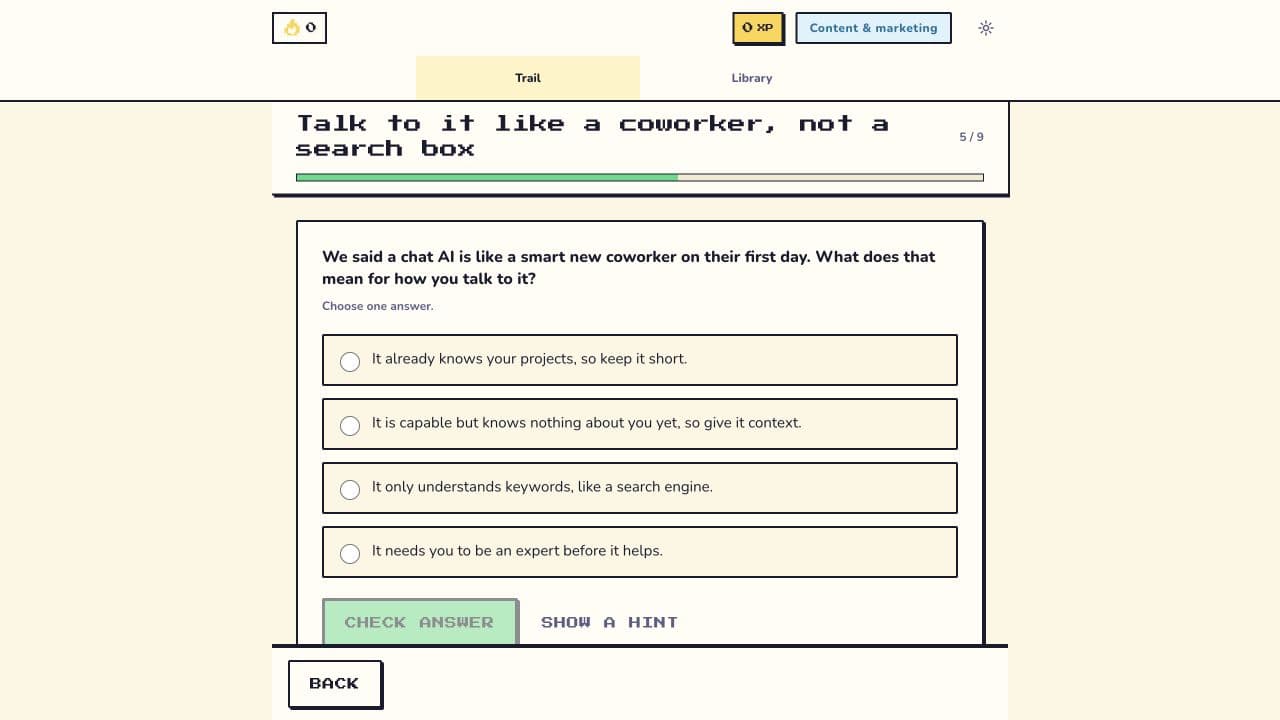
Each lesson combines an explanation, an activity, feedback, and source notes.
Keep the useful work
Progress and saved lesson artifacts stay on the learner’s device with export and delete controls.
WHY I CHANGED THE FIRST VERSION
Testing showed that the learner had too many choices.
The first version used a more gamified interface with several places to explore. People could see advanced work before completing the basics, and the number of tabs made the starting point less clear.
I reduced the main experience to Trail and Library. The current lesson opens first. Future lessons remain visible so the learner understands the route, but prerequisites decide what can be opened.
WHAT CHANGED
The product now decides the next useful step while the learner stays in control.
The route combines 32 shared modules, 12 role paths, 6 specialties, and prerequisite rules. The learner sees one next action instead of a wall of course tiles.
Progress and saved exercises stay on the learner’s device. Standard page analytics are enabled, but lesson progress and saved work are not sent to an account.